
Why heavy 3D models are a problem
3D models made for design or rendering are usually far heavier than real-time applications can handle. Optimising them matters for six reasons:
- Loading time: lighter models load faster, which is critical for web-based 3D viewers and VR, MR and XR applications.
- Storage: smaller files need less storage, which can cut hosting costs and simplify data management.
- Compatibility: each platform has its own requirements for 3D content, and optimised models are easier to integrate.
- Flexibility: lighter models need less processing power and memory, so they can be deployed in more applications.
- Bandwidth: smaller downloads give smoother experiences on mobile and low-bandwidth connections.
- Performance: lighter models render faster, which matters in games and simulations.
Content creation is also slow. Bringing 3D assets into real-time use is usually an iterative process, held back by complex software, platform limits and a lack of consistent guidelines.
The idea: automated optimisation with AI
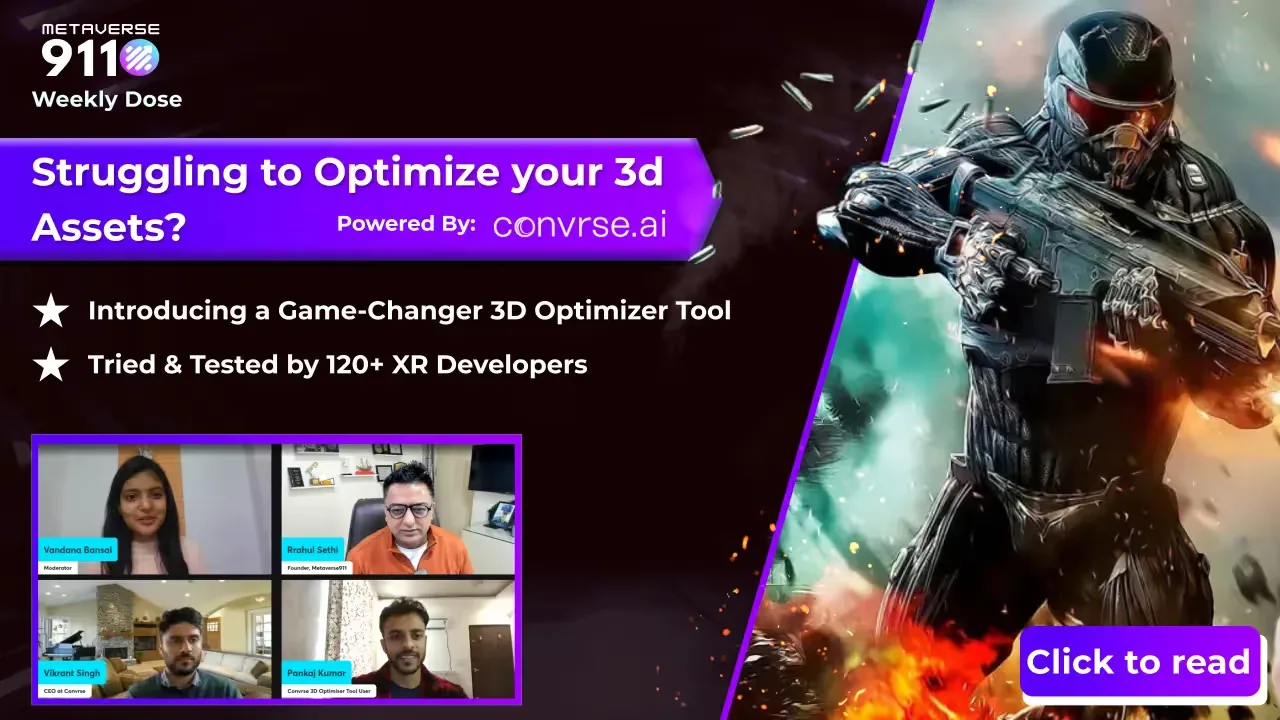
We launched the 3D Model Optimizer, built by Convrse.ai, at a LinkedIn Live event. It uses techniques such as mesh decimation, texture compression and LOD (level of detail) generation to reduce the file size and polygon count of 3D models by up to 80%, while preserving their visual quality.
"3D content creation is a laborious and time-consuming task. Moreover, to bring these 3D assets online for real-time use cases is a highly iterative process due to software complexity, 3D platforms' limitations and unavailability of consistent guidelines across the ecosystem. Convrse.ai acts as a bridge between 3D content creators and real-time engines. It not only helps optimize previous creations but also works with 3D creators to guide them through the new workflows with intelligent suggestions and lightning-fast execution. Deployment too is easy with Convrse.ai as it offers compatibility with all major file formats across platforms like Unity, Spatial, Roblox and others."
Vikrant Singh, Founder and CEO, Convrse.ai
Current optimisation compared with the Convrse.ai workflow
The first diagram shows how optimisation is usually done today. The second shows how the Convrse.ai tool handles the same job.
What the AI does
- It cleans the whole 3D scene and removes redundant meshes.
- A segmentation layer identifies the types of object in the scene and optimises each by its geometry: animations, fluids, organic shapes, humanoids and hard surfaces.
- It marks important vertices on each surface so the shape is preserved.
Main features
- File conversion: convert 3D files into more than 30 formats for compatibility with a wide range of software.
- File management (3D CMS): a personal dashboard to manage optimised models and publish them to a marketplace and creator community.
- Heat map and mesh analysis: an interactive heat map highlights problems in complex scenes, with suggestions for improving the mesh.
- Remeshing, retopology and UV unwrapping: complex meshes can be remeshed, and the tool then unwraps and bakes textures onto the new mesh automatically.
- 3D viewer and editor: adjust the scene in real time with an inspector tool and zoom in on each object to fine-tune details.
- CAD file support: prepares and optimises CAD data for real-time 3D and visualisation.
Where it applies
- Digital twins and industry: faster real-time simulations for product visualisation, digital prototyping and equipment simulation. In aviation, automotive and manufacturing, that means more efficient training simulations and more precise equipment planning.
- XR: better real-time rendering for VR virtual tours, interactive storytelling and architectural walkthroughs, and smoother, less nauseating web-based experiences.
- Architectural visualisation: interactive walkthroughs, interior design simulations and furniture layouts.
- 3D visualisation and e-commerce: customers can explore products in 3D, from virtual showrooms to trying on clothing and accessories.
- Gaming: smooth gameplay in detailed open worlds, with less motion sickness.
How to use it
- Sign up and create an account on the tool.
- Drag and drop your 3D file.
- Set the parameters: polygon target, export format and texture optimisation.
- Click optimise. Optimised models can be ready to download within 30–60 seconds.
For a manufacturer, the starting point is usually a set of CAD files for products or machines. Optimising them is the first step towards AR product viewers, VR demos, configurators and digital twins that run smoothly on everyday devices.
Next step
If you want to adopt the 3D Model Optimizer, or need your CAD models turned into real-time 3D content, talk to our team and we will connect you with the right people.
First published on the Metaverse911 blog.
Frequently asked questions
How can you reduce 3D model file size without losing quality?
You can reduce 3D model file size without losing quality by using mesh decimation, texture compression and LOD (level of detail) generation. The Convrse.ai 3D Model Optimizer combines these techniques with AI to reduce file size and polygon count by up to 80% while preserving visual quality. Its AI cleans the scene, removes redundant meshes and marks important vertices so shapes are kept.
Why do 3D models need optimising for AR, VR and web viewers?
3D models made for design or rendering are usually far heavier than real-time applications can handle. Optimising them gives faster loading in web viewers and VR, MR and XR applications, lower storage and hosting costs, easier compatibility with each platform, less processing power and memory, smoother experiences on mobile and low-bandwidth connections, and faster rendering in games and simulations.
What features does the Convrse.ai 3D Model Optimizer offer?
The Convrse.ai 3D Model Optimizer offers file conversion into more than 30 formats, a 3D CMS dashboard to manage and publish optimised models, and a heat map with mesh analysis that highlights problems. It also provides remeshing, retopology and automatic UV unwrapping with texture baking, a real-time 3D viewer and editor, and support for preparing CAD data for real-time 3D.
How long does the Convrse.ai optimizer take to optimise a 3D model?
With the Convrse.ai 3D Model Optimizer, optimised models can be ready to download within 30 to 60 seconds. The user signs up, drags and drops a 3D file, sets the parameters such as polygon target, export format and texture optimisation, and then clicks optimise. The tool is compatible with platforms including Unity, Spatial and Roblox.
Why should manufacturers optimise their CAD files for real-time 3D?
Manufacturers should optimise their CAD files because heavy product and machine models slow down real-time applications. Optimising CAD data is the first step towards AR product viewers, VR demos, configurators and digital twins that run smoothly on everyday devices. Metaverse911 can connect companies with the 3D Model Optimizer or help turn their CAD models into real-time 3D content.
More from the blog
 Blog · 3D content
Solving 3D asset optimisation for AR, VR and digital twin projects
Heavy 3D models slow down AR, VR and digital twin projects. How the Convrse.ai 3D Optimizer cuts file size by up to 80% while keeping visual quality.
Read the postBlog · 3D contentSeven ways to make 3D asset optimisation easier for AR, VR and digital twins
Why 3D models need optimising for AR, VR and digital twins, and seven tool features that cut size and polygon count by up to 80% while keeping quality.
Read the post